

4D.COMMANDER
From complex process data to the right monitoring configuration.
Analyze process data and develop monitoring configurations.
Laser manufacturing processes quickly generate large volumes of recordings, signals and additional information. The challenge is to identify relevant correlations and use them to develop suitable process monitoring settings.
4D.commander brings your process data together in a central workspace and helps you structure data, compare signals, test settings and develop suitable monitoring configurations for > 4D.watcher.

Challenges
Lots of process data. Plenty of possibilities. But what really matters?
The process data is already available. However, as the number of recordings and channels increases, it becomes more difficult to derive targeted insights for process monitoring.
Too much data, not enough clarity
Large volumes of files, signal curves and additional information need to be brought together in a meaningful way.
Recordings need structure
To compare different processes, components or anomalies, recordings need to be grouped in a clear and traceable way.
Relevant correlations are difficult to identify
With many signals and channels available, it is not immediately clear which features provide the most meaningful information for a specific process.
Finding suitable monitoring settings takes time.
Different evaluation settings must be tested against the available process data to assess their effects.
Analysis and process monitoring need to work together
The insights gained should not remain isolated in the analysis. They should be used to improve subsequent process monitoring in 4D.watcher.
Here’s how it works.
A structured approach from process data to monitoring.
4D.commander guides you step by step, from the structured consolidation of your process data to a usable monitoring configuration for 4D.watcher.
01
Process data
02
Organize
03
Compare
04
Test
05
Configure
06
4D.watcher
01
Process data
02
Organize
03
Compare
04
Test
05
Configure
06
4D.watcher
01 | Bring process data together in one central workspace
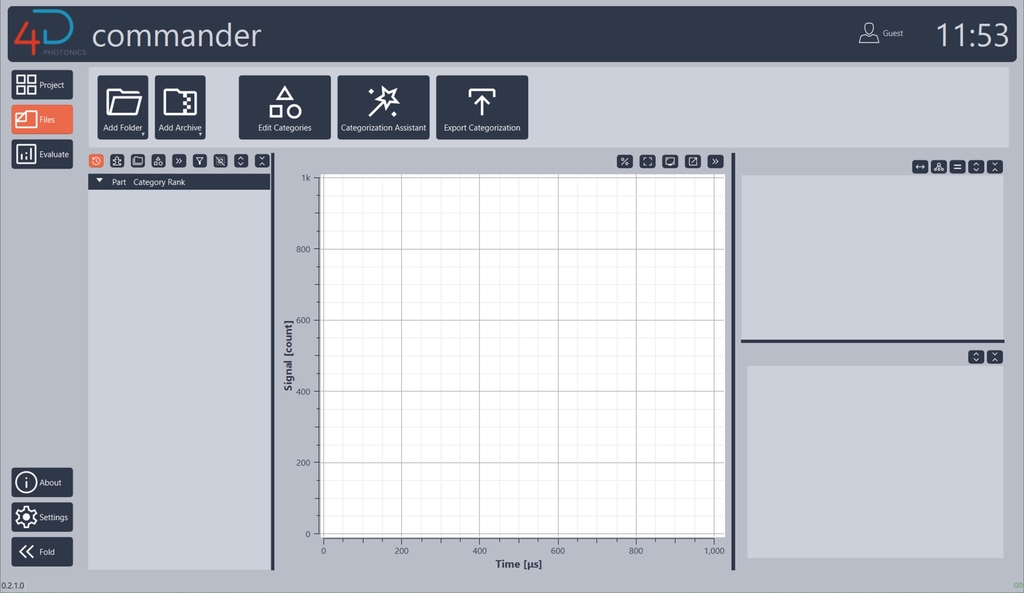
4D.commander brings files, recordings, signal curves and additional information together in one workspace, creating a central foundation for further analysis.
02 | Structure recordings
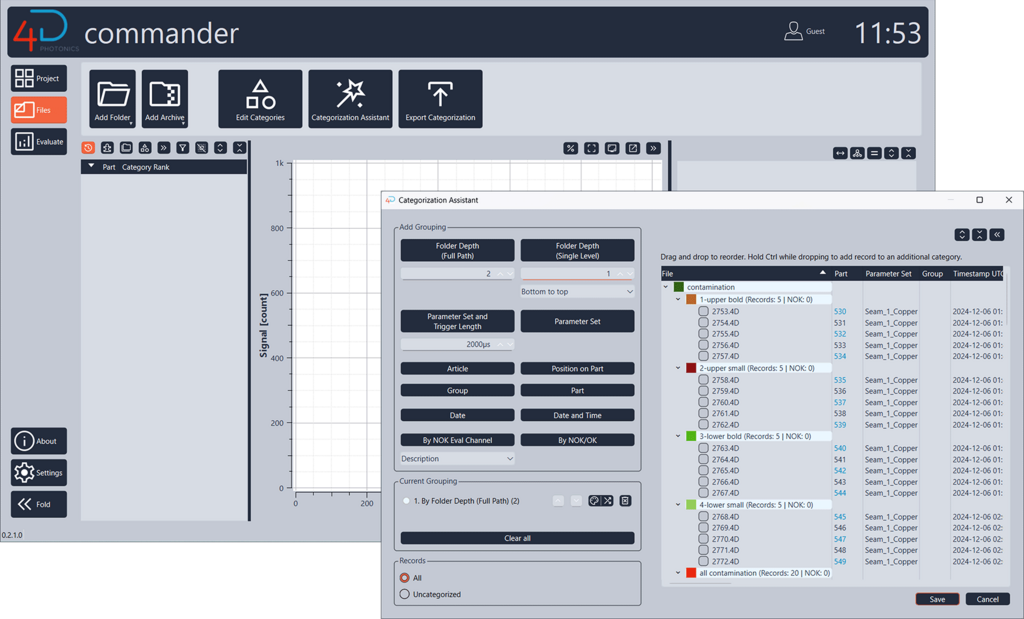
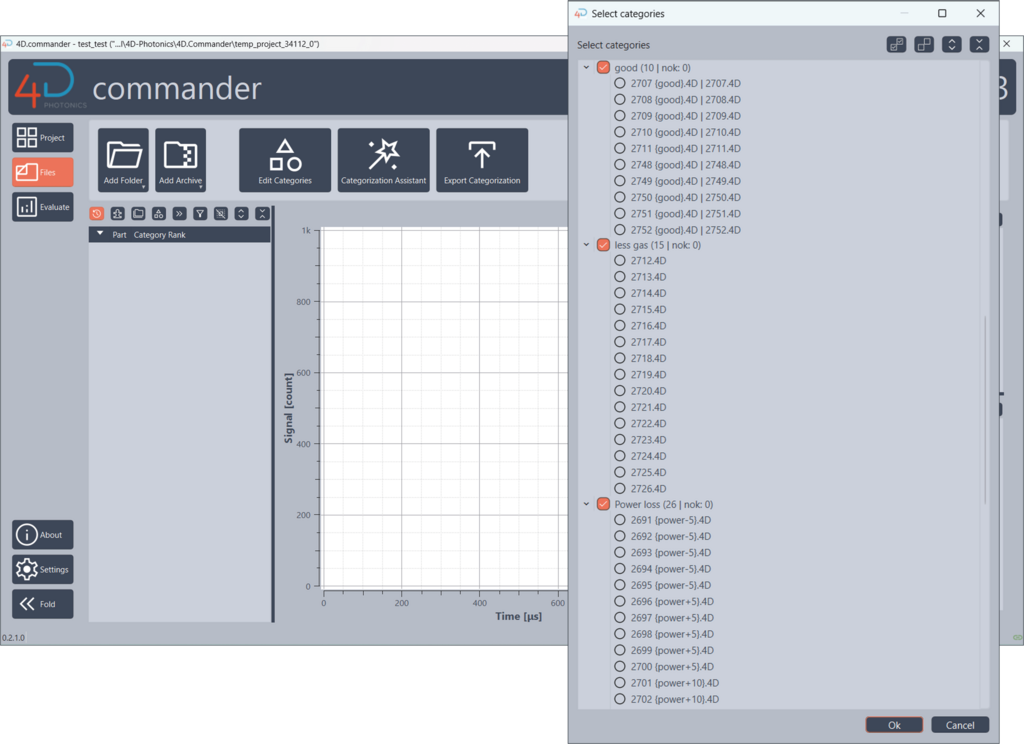
The Categorization Assistant helps you systematically categorize large data sets based on existing information. Recordings can be grouped by application, weld type, date or known anomalies, for example.
03 | Compare signals systematically
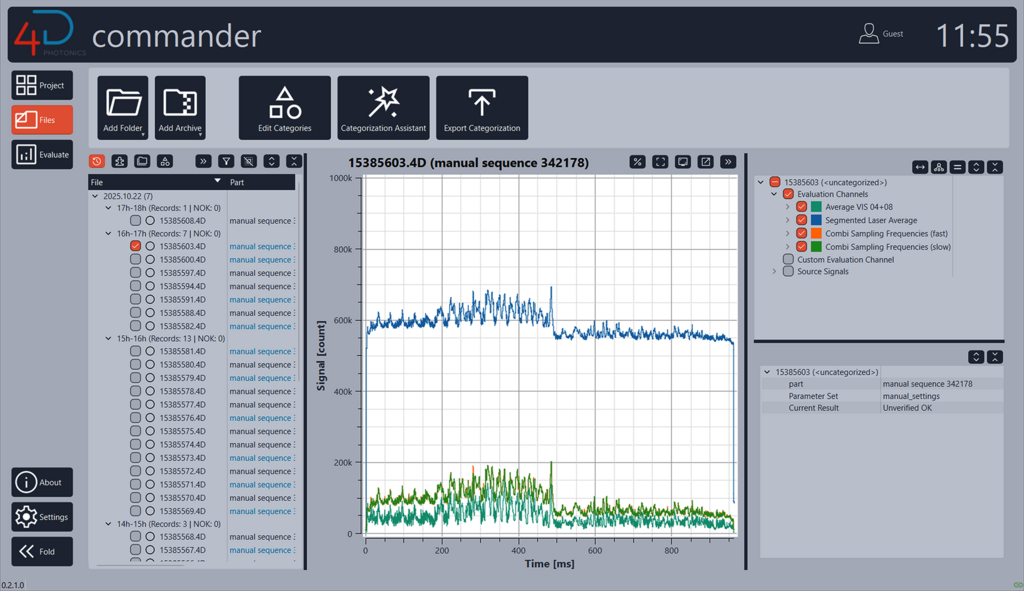
Select relevant recordings and channels and compare their signal curves. This makes it easier to identify differences, similarities and notable correlations.
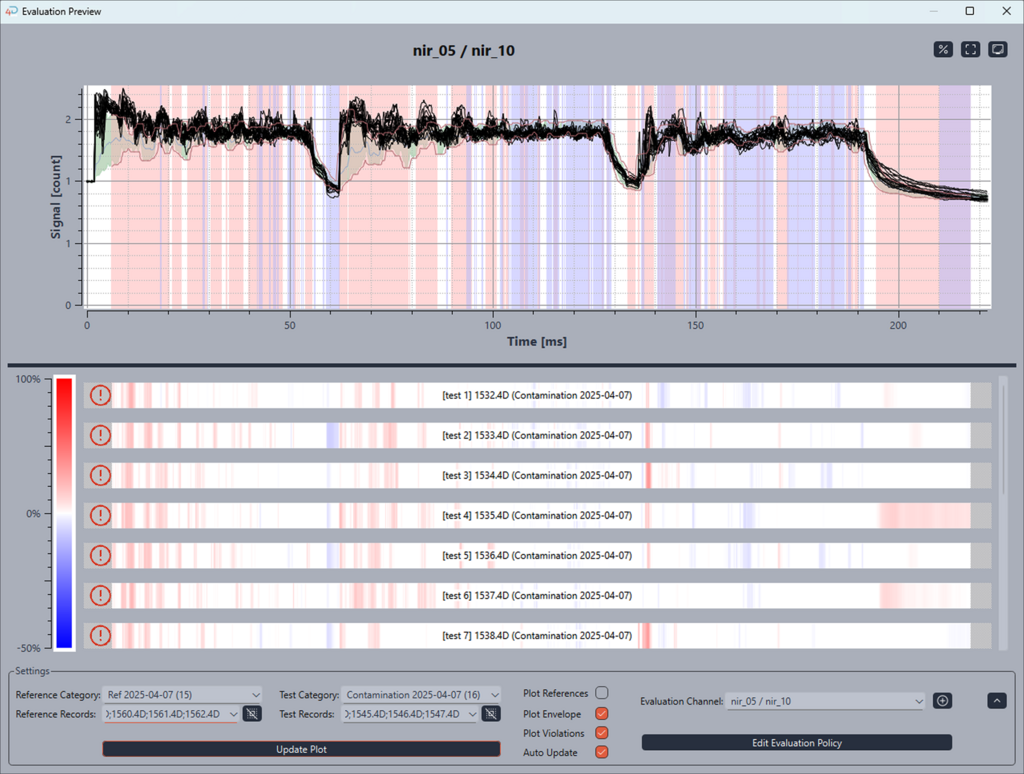
04 | Test evaluation settings
Evaluation Preview lets you test different evaluation settings using existing process data without changing your current configurations.
The effects of the settings are displayed immediately, making it easy to compare the results.
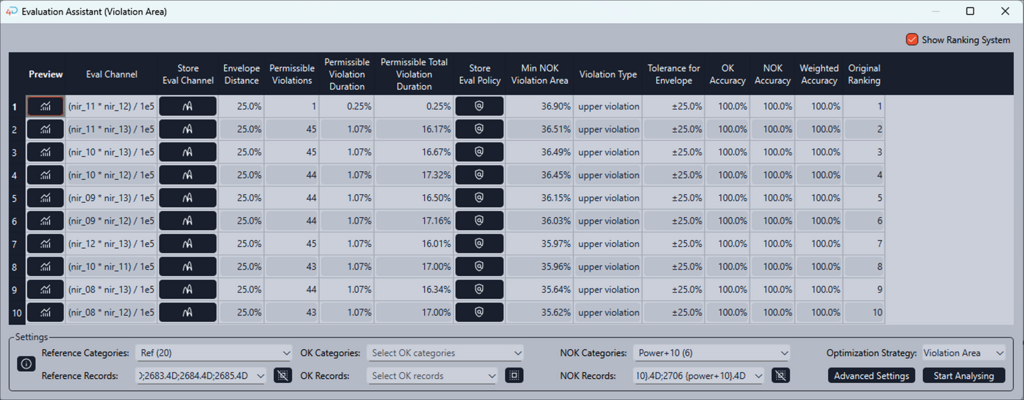
05 | Develop suitable monitoring configurations
The Evaluation Assistant helps you identify suitable Evaluation Channels and settings.
Selected reference, OK and NOK recordings can be analyzed and different suggestions compared. The final technical selection and approval remain with the user.
06 | Use the results in 4D.watcher
Developed Evaluation Channels and settings can be saved as Templates and exported for use in 4D.watcher.
This turns data analysis into a practical monitoring configuration.
Features
Tools that support you every step of the way
Categorization Assistant
Turn individual recordings into a structured overview.
Organize process data by relevant features and create a traceable foundation for comparisons and further analysis.


Evaluation Preview
Test settings before applying them.
Use selected process data to compare evaluation settings and assess their effects without modifying your current configurations.
Evaluation Assistant
Investigate relevant signals and settings more systematically.
The Evaluation Assistant analyzes selected reference, OK and NOK recordings and helps identify promising Evaluation Channels and settings.

Your advantages
Less complexity. More insight. A clear and traceable workflow.
Understand process data faster
Structure and compare large volumes of recordings without having to manually combine information from different sources.
Explore relevant correlations more systematically
Focus on the signals, channels and settings that may be relevant to each application.
Develop monitoring configurations systematically
Test and compare settings against existing process data before applying them to the production configuration.
Seamless transfer to 4D.watcher
Transfer developed Evaluation Channels and settings to 4D.watcher as Templates, creating a seamless connection between analysis and production process monitoring.
Our product platform
A key component of the new 4D product platform

In Detail
Technical data
Japanese, Chinese, Polish,
Czech